
GAMING SETUP · 05 / 05
What can I add to my gaming setup? A personal phone clock display
Your monitor, keyboard and lights may be in place, yet the setup can still feel short of a personal detail. A compatible spare phone can fill that role as a small clock display.
Choose a visual direction first
Do you want a retro setup, something dark and simple, or a more colorful desk? Pick a starting direction so you can judge whether an addition belongs. If the keyboard lighting is already a strong accent, the phone display does not need to be equally bright.
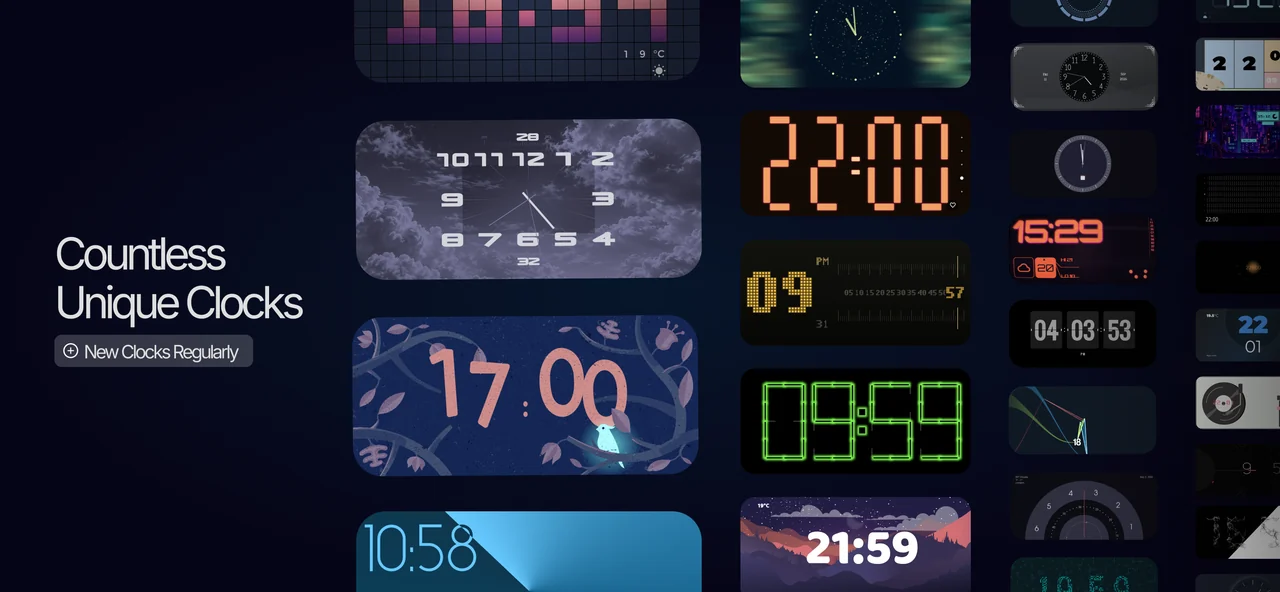
One possible direction is a dark desk with readable digits in a single accent color. For a more animated look, explore the designs available on your device. Do not assume that a particular face is present on every platform.
Give the phone a separate clock role
A Sync App Studio app can turn a phone you own into a small clock display separate from your main monitor. Open Mobile Clock Pro on iPhone or Nightstand Clock: StandBy Mode on Android, then choose a face that fits your setup.
This suggestion concerns the phone’s appearance. We are not claiming that the app automatically synchronizes with a keyboard, PC case or RGB lights. You match colors yourself using the controls offered by the chosen face. Some settings require an in-app purchase.
Keep the playing area clear
Place the phone outside the mouse area, beside the monitor or on a secure stand. Make sure it does not obstruct the places you use for a controller, headphones or drink. If you connect a charger, keep the cable away from the path of your hands.
The clock app needs to stay open for this display. If you frequently use your main phone while playing, a compatible spare you already own can be more convenient. Reusing an older phone still means checking its battery and screen condition.
Separate the photo look from the playing look
A colorful face you enjoy when photographing the desk may be too noticeable while playing. Try a simpler clock and suitable brightness before a game. Being able to read the time without constantly looking toward it is a useful starting point.
For the first trial, use the phone you have for one gaming session before buying another display or lighting system. Afterwards, assess the position, readability and color match. These are suggested arrangements, not measured claims about gaming performance or battery life.
This content is prepared by Sync App Studio, the developer of the clock apps. Layout suggestions are examples, not reports of tests on particular devices.